
Exclusions are used to prevent private or unwanted communication to be stored in the system. Whitelist is the most used exclusion feature.
Whitelist
Whitelist is an entry that contains an identifier (phone number, email etc) and a description of the relation between the recorded user and the counter part.
Whitelist can be added on three different levels:
-
Company - applies to all recorded users in the company
-
Department - applies to all recorded users in the specific department
-
User - applies to the specific recorded user
To navigate between the different levels, use the left navigation bar.
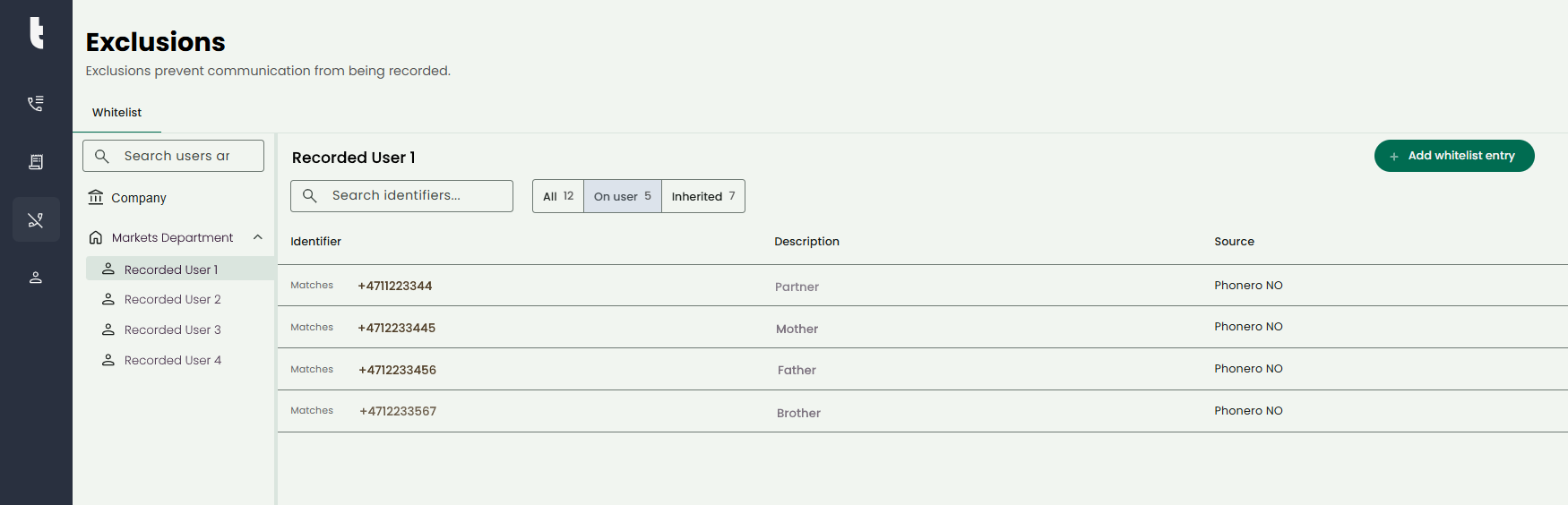
To add a new entry, select the level (company, department or user) and click “Add whitelist entry”. Select type of entry, phone number, email address or other.
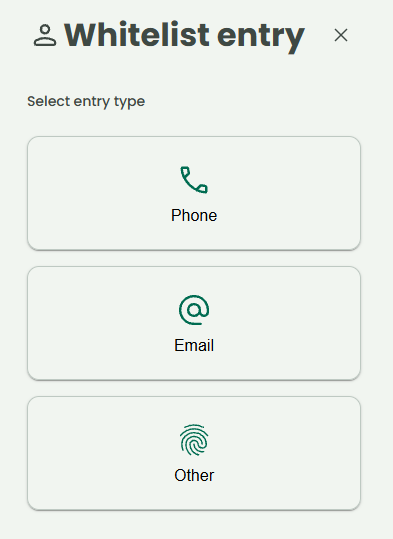
Enter the required information:
-
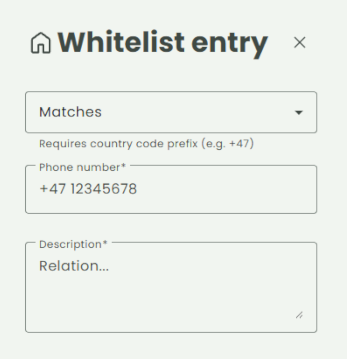
Matching rule - Use this to determine how to identify a recording to be whitelisted
-
Starts with - Recordings that have participants starting with the selected identifier (Country code required)
-
Ends with - Recordings that have participants ending with the selected identifier
-
Contains - Recordings that have participants that contains the selected identifier
-
Matches - Recordings that have participants matches exactly with the selected identifier (Country code required)
-
-
Identifier (required) - Phone number, email or other kind of unique value
-
Description (required) - Description of the relation between recorded user and the counter part