
Audit log shows user activity in the system.
When Audit log is selected, click the “Open filters” button to start the search.
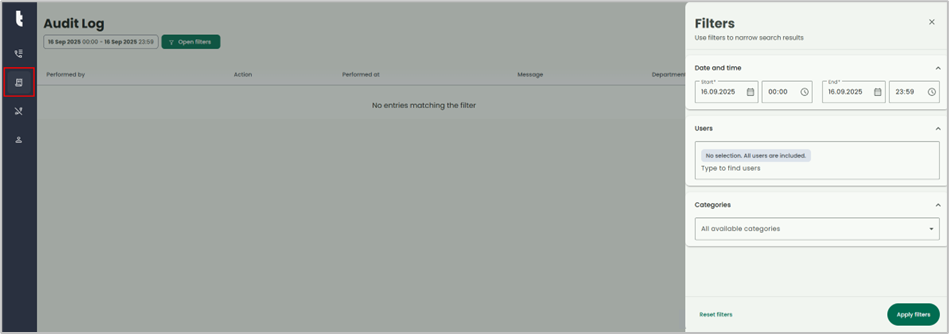
Date and time: You can specify the time period, by clicking the time and date fields. The default setting is 1 day.
Users: To select user(s) from a list, click in Users window and a drop-down that lists all users will open. Unless you make changes to this selection, the default setting will search all for all users.
Categories: Results can be filtered to only include audit logs from specified categories.
Apply filters: To view the search results for the search criteria you have entered, select "Apply filters".

-
The following columns are available:
-
Performed by - The user that performed the action
-
Action - What kind of action was performed
-
Performed at - The date and time of when the action was performed
-
Message - Detailed description of what was performed
-
Department - Which department the user that performed the action belongs to
-
Category - Which category the action belong to